Portuguese Bible1.0
Publisher Description
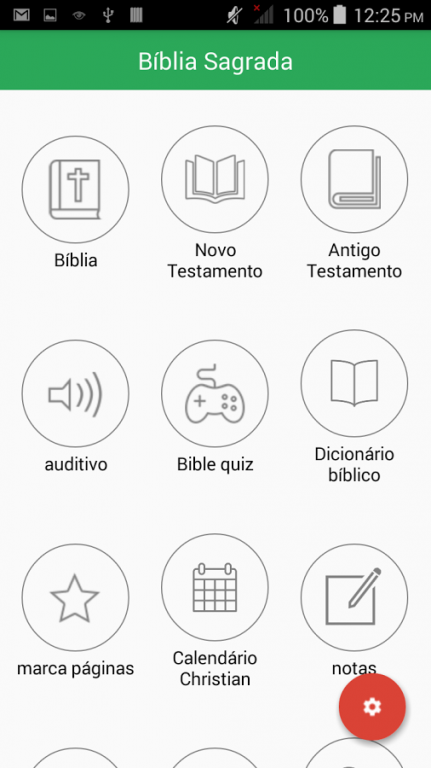
We are proud and happy to release the Portuguese Bible in android for free. Portuguese Bible Application is simply designed to make it available OFFLINE complete. Internet connection is not required to read the bible verses. The app contains both "Old Testament" and "New Testament". Search option is also provided for quick reference of King James Version. Forum has been included to have spiritual discussions.
Features :-
==> Read it anywhere no Internet needed
==> Works on All android devices.
==> Easy and Quick Navigation
==> Bookmark by chapter
==> Notes
==> Search with Highlight
==> Organized into Books & Chapters
==> Quiz (Multiple choice question)
==> Popular Verse
==> Popular Quotes
==> Verse of the day
==> Bible Dictionary
==> Daily Bible reading Activity
==> Word Search
==> Audio Bible (Play,Pause,Stop)
==> Orientation Support (Portrait,Landscape)
==> History option (Word searched text).
==> Christian Calendar Option.
==> Settings
--> Brightness Increase and Decrease.
--> Font Size Increase and Decrease.
--> Custom Font style.
--> Text Color Change.
--> Text Background Color Change.
--> App Theme Color Change.
--> Night Mode ON ,OFF.
--> Verse Separator & spacing Verse.
==> Easily Jump to Verse in Chapter with verses conveniently on top of each Chapter
==> Custom text colors.
==> Share verses with friends using social networks( Facebook/Twitter), email, or SMS (text).
==> Read easier with settings like fonts, text size
==> Much more!
About Portuguese Bible
The company that develops Portuguese Bible is Mala M. The latest version released by its developer is 1.0.
To install Portuguese Bible on your Android device, just click the green Continue To App button above to start the installation process. The app is listed on our website since 2016-03-07 and was downloaded 5 times. We have already checked if the download link is safe, however for your own protection we recommend that you scan the downloaded app with your antivirus. Your antivirus may detect the Portuguese Bible as malware as malware if the download link to com.bibleall.portuguese is broken.
How to install Portuguese Bible on your Android device:
- Click on the Continue To App button on our website. This will redirect you to Google Play.
- Once the Portuguese Bible is shown in the Google Play listing of your Android device, you can start its download and installation. Tap on the Install button located below the search bar and to the right of the app icon.
- A pop-up window with the permissions required by Portuguese Bible will be shown. Click on Accept to continue the process.
- Portuguese Bible will be downloaded onto your device, displaying a progress. Once the download completes, the installation will start and you'll get a notification after the installation is finished.
